Category Archives: Teaching

2025 Year in Review: Work and Impact

Every year I send around to former students some highlights of this years work. This time I’m posting here! Hoping some of this work is of interest to all of you. Always keen to hear feedback!

1. Continued Growth of the DPI Map
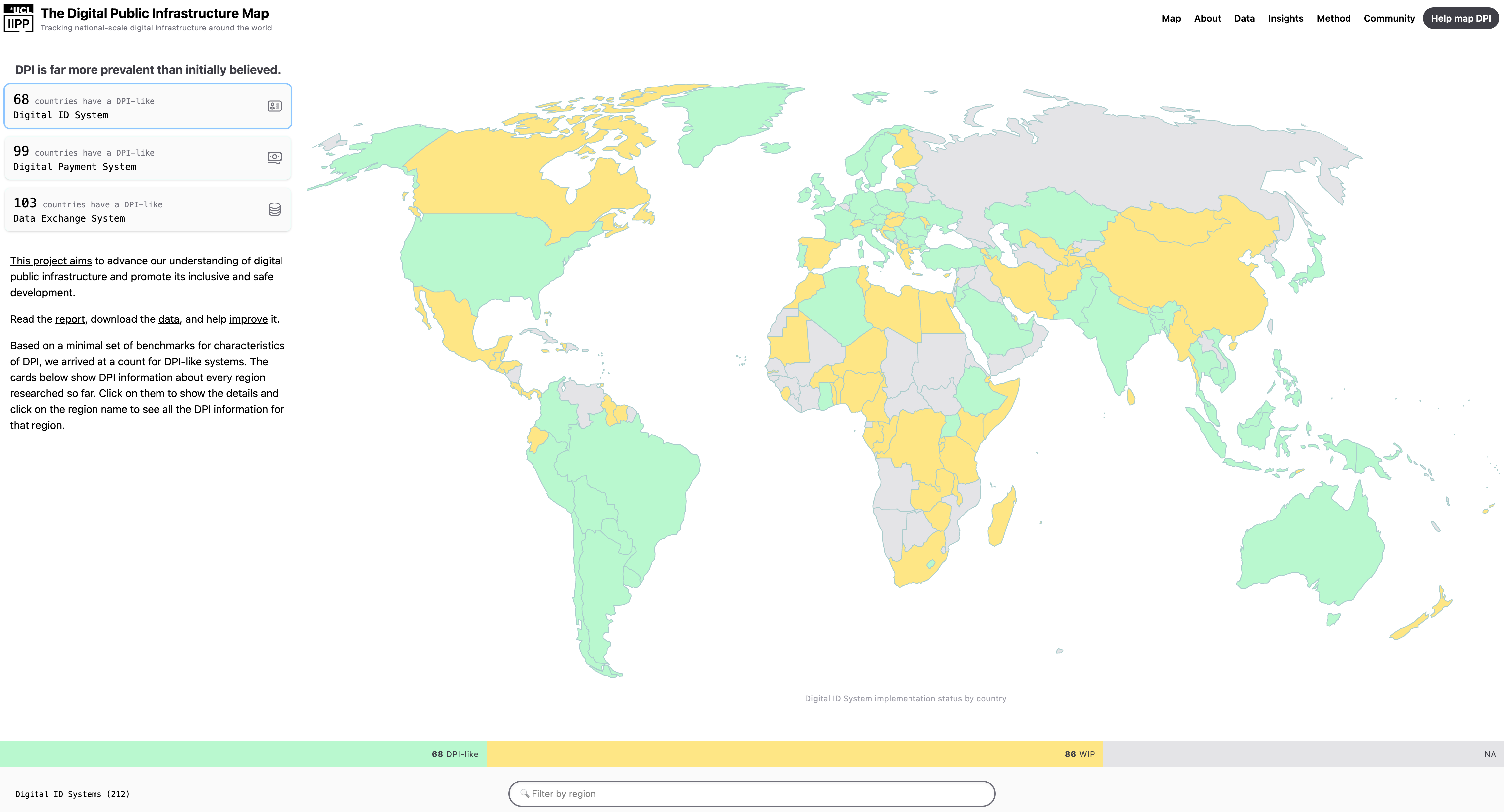
Our DPI Map has become a go-to resource in the field:

  • Now used by multiple Multilateral Development Banks, research teams, and the DPI Safeguards assessment process
  • Forms the core of our State of DPI 2025 Report, which we formally launch this week
  • Maps digital public infrastructure deployments across 210 countries

2. Economics of Digital Public Infrastructure

Diane Coyle (Cambridge University) and I working with Beatriz Vasconcellos, and Sumedha Deshmukh co-authored our report on The Economics of Shared Digital Infrastructure.

This work has led to:

  • Sustained engagement with the World Bank, UK Treasury, and the Dominican Republic about how they fund digital infrastructure projects
  • Adoption of our methodology by the G20 Digital Economy Working Group
  • Potential to unlock billions in funding and reshape spending to be much more effective

This is deep, nerdy policy work – but it has real potential for impact.

3. The Largest Randomized Control Trial on Digital Government Skills?

We’re mid-process running what we believe is the largest randomized control trial on digital-era skills for public servants:

  • I trained 10 Brazilian experts on how to deliver our digital government course (DPI662 at HKS, Digital Government at IIPP)
  • Those trainers have just finished training a first cohort of ~500 public servants
  • We’ll now run some tests to see if this training impacts the effectiveness of this first cohort vis-a-vis a second cohort who will be trained later this year

It’s been an absolute delight collaborating with Christian Schuster (Blavatnik, Oxford), Maria Alexandra Cunha (FGV), and Kim Mikkelsen (Roskilde University) on this work.

Also grateful to UKRI for funding this work!
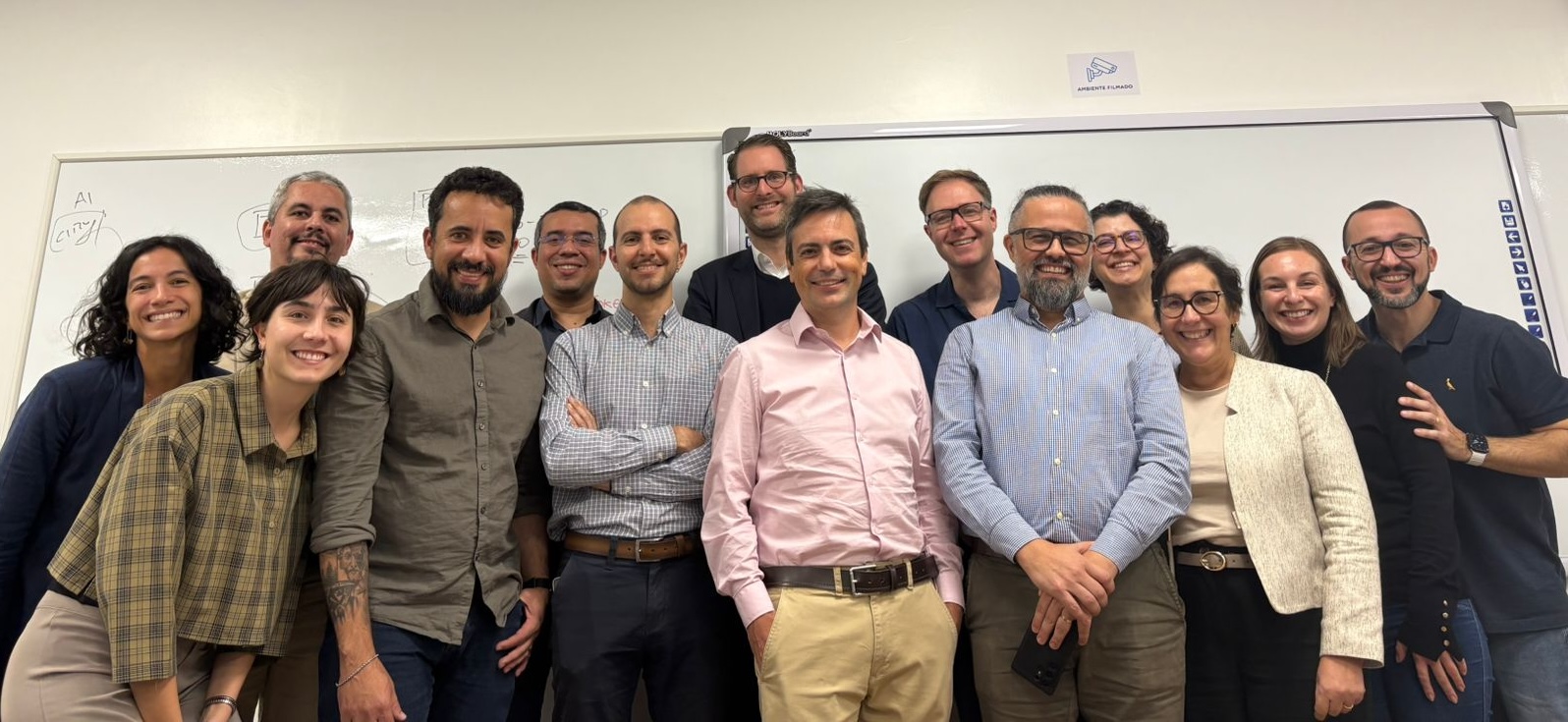
The Brazilian trainers during our Train the Trainer session in Brasilia
Our Amazing Brazilian Trainers during our Train the Trainer program in Brazilia

4. New Case Studies & Publications

We published a lot this year. Some highlights below of what I think might be of interest:

Teaching Case Studies:

These are great if you are teaching a digital government course… All free to download and use! Also just great reads for those interested in learning about what is happening around the world in digital government.

Articles & Commentary:

We also have a peer-reviewed papers coming out in January, and a few more teed up for later in the year – stay tuned!
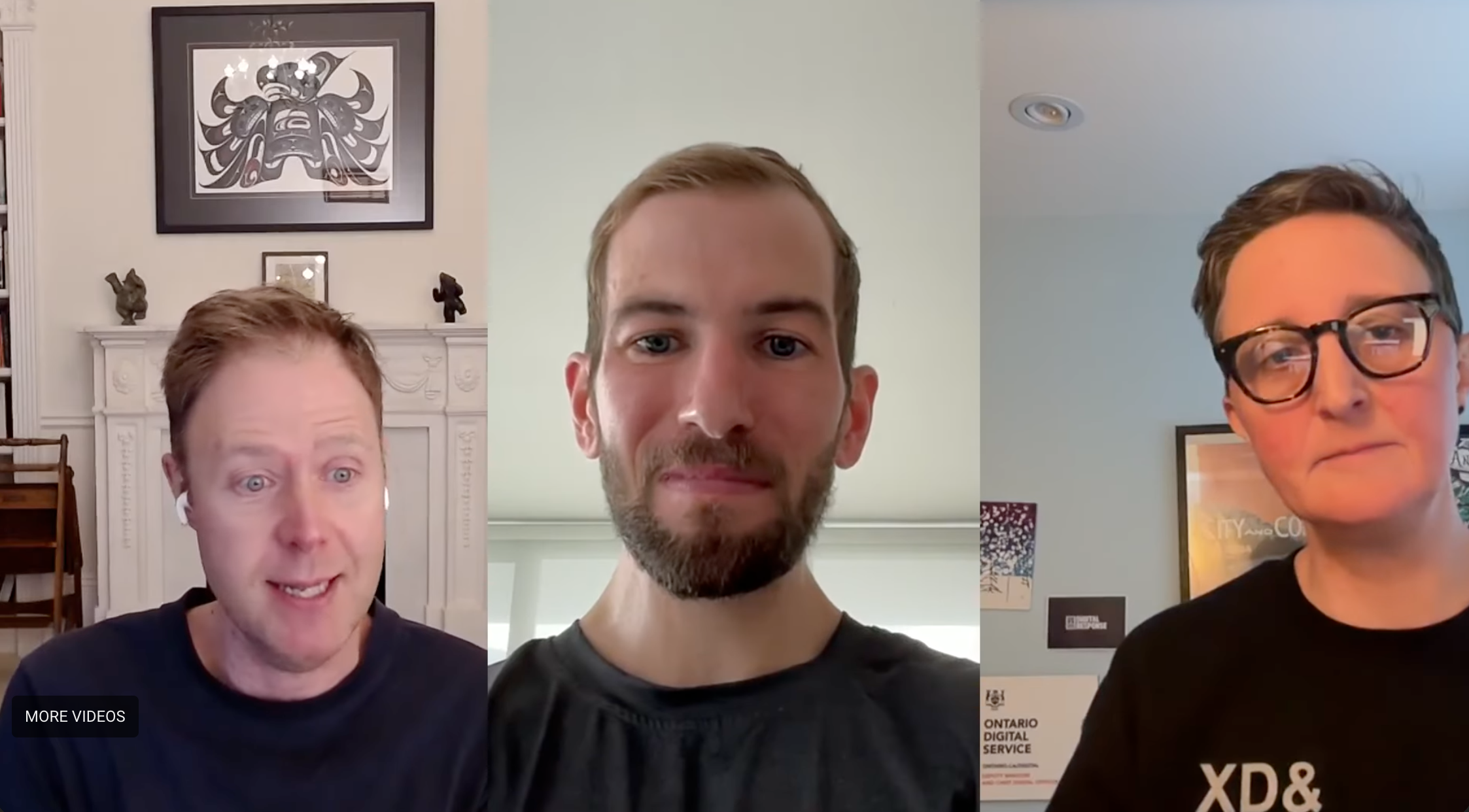
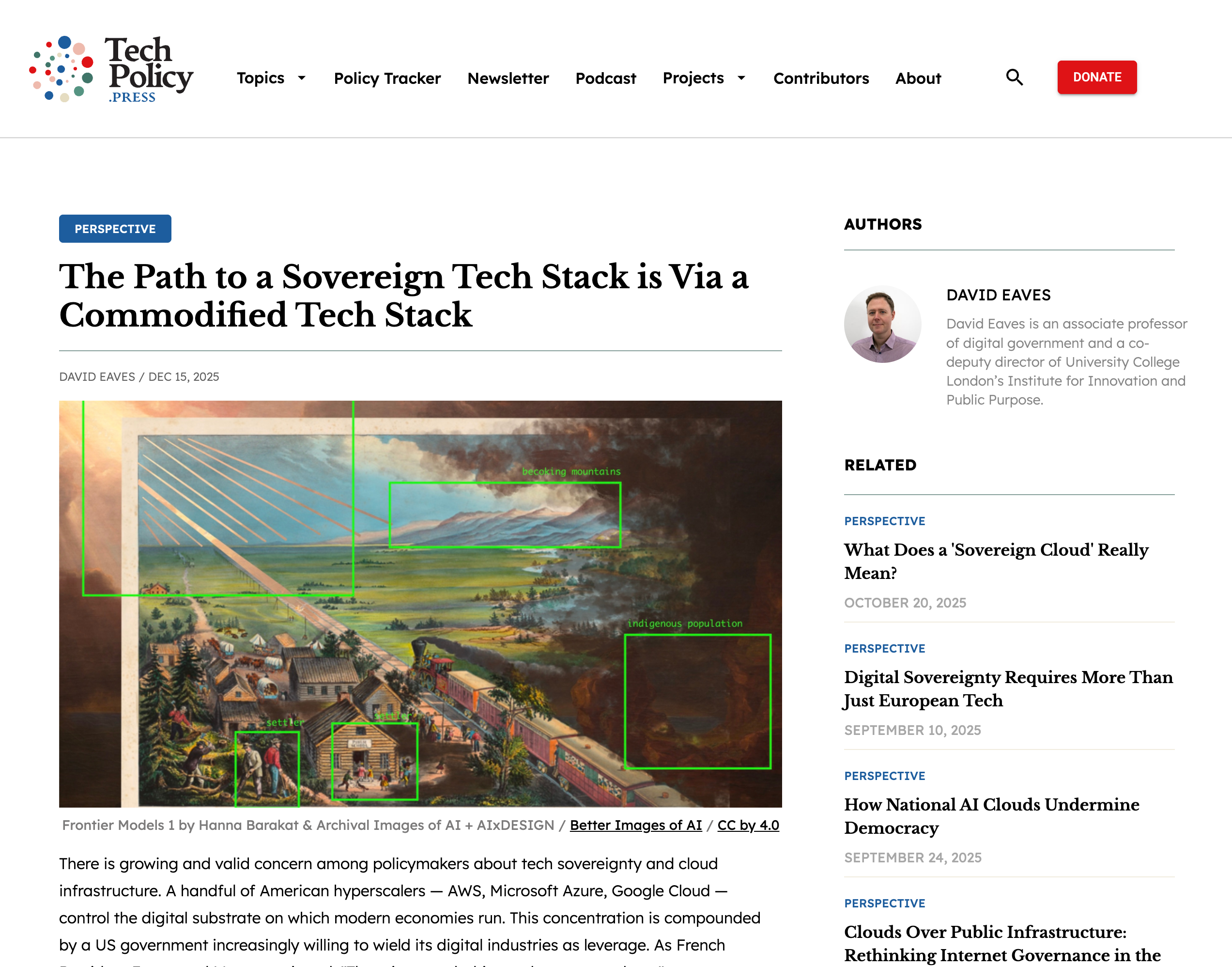
Hillary, Kevin and I on the Lawfare Podcast

5. Talks & Engagement Around the World

Some presentations I’m particularly excited to be invited to give this year included:

  • G20 Digital Economy Working Group in South Africa
  • IMF Fiscal Forum Japan meeting in Tokyo
  • Multiple sessions at the Digital Public Infrastructure Summit in Cape Town, South Africa
  • Presentation to the Canadian Senate in Ottawa
  • Women in GovTech (hosted by GovStack, a German-Estonian government-funded project)
  • FestiBO Bites in Bogotá (thank you Angela María Reyes, HKS 2016!)

6. Advisory Roles & Other Work


Personal Update: Iceland Adventures

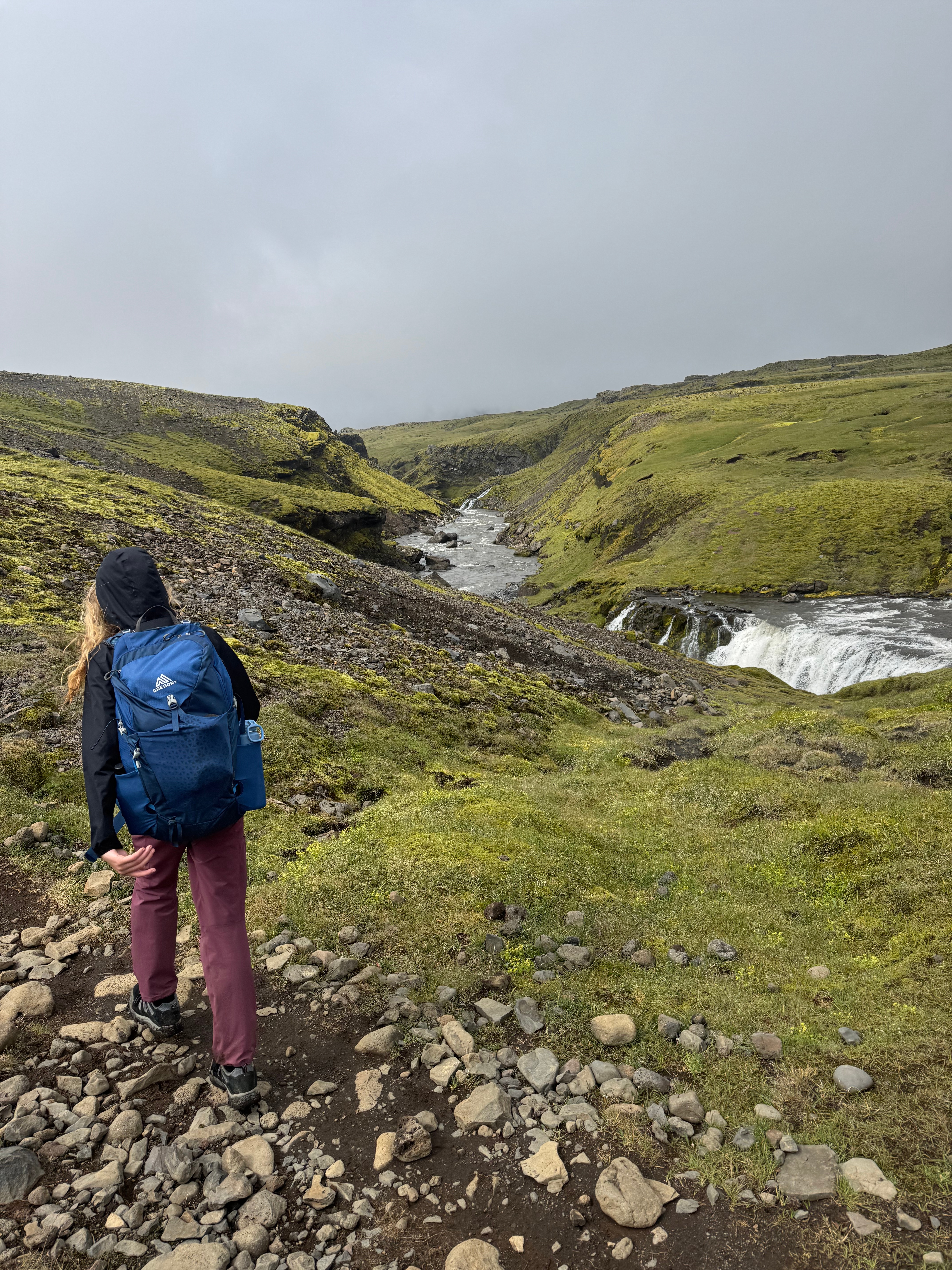
Panorama of Iceland

The big personal adventure this year was an 8-day hike through Iceland with my eldest son Alec, my co-founder Luke, and his family. We hiked the Laugavegur and Fimmvörðuháls Trails back-to-back.

Absolutely stunning landscapes, challenging terrain, and wonderful company. I’ve been lucky to have a life filled with meaningful, challenging journeys, surrounded by great people. I don’t take enough time off, and this was a ton of fun. It was also a powerful reminder of how blessed I am to be able to work and play with people I care about – whether hiking trails or reforming government systems.

Former Students: Alumni Office Hours and Our Digital Government Working Group

Eternal Office Hours: Every year I do about 30-50 calls with former students, sometimes its career advice, sometimes it’s on their new startup (were a LOT of those in 2025), some are collaborations, other times it’s just to catch up. Please feel free to use this link to book in

Digital Government Working group: If you work in the digital government and have something to share (a problem or success) we’d love to host you in our ongoing online seminar with my current researchers and students. For example, Jake Boyd (HKS 2023) presented his work on Open Source Protocols for Elections in December.

Please email me if you have work you want to share!


Hope everyone had a great 2025 and wishing you a successful 2026. The world has never been more in need of good people, working on the right problems, with the best intentions. I hope you are one of them and that our paths get to cross.
Lecturing and Teaching Remotely — My Setup and Approach

I just ran a workshop/facilitate this morning for a number of the Chief Digital Officers from several European capital cities to help them share best practices and shared challenges in their respond to COVID19. I very much enjoyed the session and my set up has me excited about how remote teaching can approximate the intimacy and interaction of in person teaching.

This, combined with some wise words from Ron Heifetz - who shared in an online lecture yesterday how leadership is often just doing what needs to be done - has me writing this post. My present job is to teach, provide students some stability and help prepare them for a rapidly evolving and uncertain world. So… this is me both trying to exercise leadership and, to be truthful, engage in some writing therapy, trying to share something small but hopefully useful for my colleagues and extended community.

Context - We’re all Remote Teachers Now
Last week Harvard announced that all classes for the rest of the semester would be taught remotely, and that includes me. I miss our students already, and they have so much uncertainty to deal with. And, this is the right move. Students and faculty should absolutely be practicing social distancing.

So suddenly, many of us need to teach remotely. I’ve strong preference about my teaching environment so I can express myself effectively, maintain energy and ensure the type of engagement with students I think is necessary to enable learning. Here I’ll share what my guiding criteria were and then how I cobbled together some equipment I (or my partner) had around the house to set up my teaching environment. Hoping others may find this helpful.
Oh, and sidebar, I’d also encourage you to take a look at Teddy Svoronos website which is filled with great tips around tech and teaching, I’m a huge fan of Teddy and Dan Levy who are the kings of pedagogy here at the Harvard Kennedy School.

My Criteria for a Good Environment
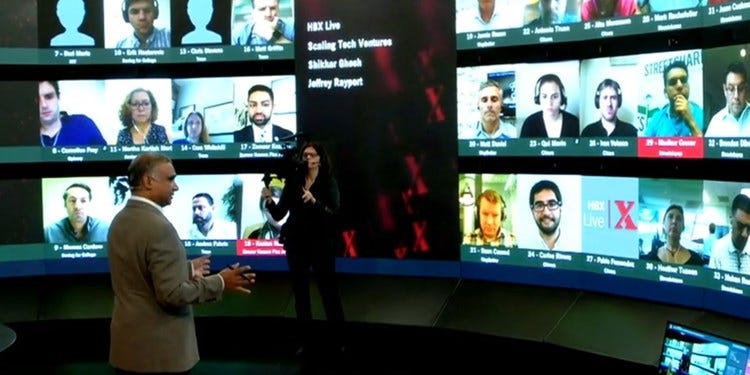
I’ve been running meetings via zoom with up to 35 people for a couple of years now now. Teaching is different but there is a lot of overlap. In addition, I’ve been lucky to experience a fair amount of remote teaching. This includes courses for mayors and chiefs of staff in the Bloomberg Harvard City Leadership Initiative using the HBX Live Platform. That was a huge luxury as HBX is ridiculous. It’s effectively a studio with multiple cameras and a cameraperson following you around as you teach to 60+ people each on three foot high screens (see photo below). Not replicable at home, but it opened my eyes to how being mobile - even remotely - matters.

Image of HBX Live Studio

HBX Live Studio - it’s amazing, but doesn’t scale to my guest room

I’ve also taught over zoom from my office such as this mornings session mentioned above, or a month or two ago, teaching my Aadhaar case study to a group of journalists in Africa. That experience highlighted why getting the audio right, and being able to flip from slides to discussion quickly is important.

So my main criteria in setting up my environment included:

Spend little or no money
Listen, as amazing as HBX Live is, we’re not going to be recreating it in our homes. And who knows how long this will go on for. I’m sure most faculty aren’t keen to spend a lot of money for something they may only need for 2–6 months.

See the whites of my students eyes
Teaching in an empty room is hard. Teaching to a zoom call with nothing but grey phone icons feels just as hard. We get so much feedback from people’s faces, expressions and posture, I wanted my solution to maximize this feedback.

Facilitate multitasking between students, slides and comments
Obviously one needs to see and be able to advance slides, but this is secondary to seeing and engaging with students (I already know the content of my slides). Critically, I don’t want my own screen dominated by slides and limit to showing a handful of students (say, no more than just 4–5 which is what zoom will default to when you are sharing a presentation).

Be more than a floating head on a screen
When I teach I like to roam the room and am fairly expressive with my body language. Teaching an hour and 15 minute class while sitting down doesn’t enable me to engage or maintain the level of energy I’ve come to expect of myself. I also think students benefit form seeing more than just a talking head.

Have great sound quality
And that means… not letting my kids yelling in the room next door interfere with the class. I’m obviously expecting a full on BBC talking head kid intervention will occur at some point this semester, but I want to keep out the sound from the rest of the house.

So here is my set up:

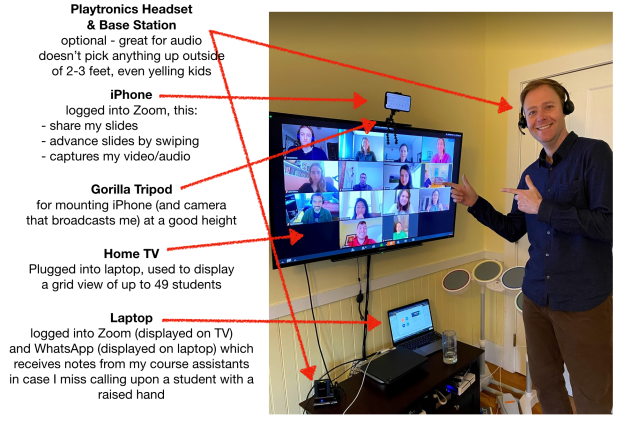
Photo of my ad hoc, at home, teaching studio

Thank you to some of my students helping me calibrate my set up

The Setup
The key was figuring out I could hijack our virtually unused television. I list more details on the equipment below, but here is how it works.

I log into zoom on my iPhone which I attach to the top of my TV. My iPhone is used to capture video of me and to share any slides I might have (I’ve moved to Google Slides). I can easily advance slides by swiping, I can also switch to chat to see any student comments fairly easily.

I then log in again on my laptop. I mute the laptop speakers, mic and video. I move the zoom app to the TV where I display all the participants (and effectively hide the slides by shrinking them to be as small as possible). This semester I’m teaching a required course - API-501 Policy Design and Delivery- which has about 60 students, and I can see almost 50 of them at on this screen, and they are decently sized so I can see the whites of their eyes.

One could just use the audio from the phone or the laptop, but I happen to have a plantronics wireless headset (this is the one investment I’d probably encourage you to make as they don’t pick up ANY sound from more than a few inches from your mouth - it is incredible). This ensures that no sounds from outside or elsewhere in the house interfere with the class. It connects via bluetooth to either my phone or computer depending which one I want to use.

This arrangement allows students to see anywhere from 1/3rd to my whole body depending on where I stand. This allows me to pace and use body language more effectively. It also means I’m pretty much compelled to stand (which I like - I find it keeps the energy level up). I could bring in a high chair from another room, but won’t for now.

The Norms
I’ve a handful of simple norms I use as well. These include:

  • Everyone must use video. A classroom is a community. That community functions a lot better if people can see one another.
  • Ask all participants to fill out their name in zoom, and then set zoom to always display names. At HKS we have name placards students bring to every class - this strikes me as a virtual version.
  • Faculty and/or course assistants should log in 5–10 minutes early to ensure the room is ready when people show up.
  • Use the raise hand feature in zoom. It is much harder to read the queues about when to jump in and interrupt a lecture. When someone does raise a hand - I try to get to the questions ASAP, ideally within 15–30 seconds if not immediately, to encourage people to raise hands and engage.
  • Everyone stays on mute unless they are talking

The Equipment & Software

  • Zoom. I won’t go into this since basically everyone is getting a crash course in using it right now. In my case, the university provides this.
  • Whatsapp (or Slack). I use this to backchannel with the course assistants. Mostly for them to yell at me if I missed something or someone. My course assistants and I have been coordinating on Whatsapp before all these changes.
  • JOBY GorillaPod, basically a crazy tripod that you can use to afix or stabilize your phone to anything. My partner had one I was able to snag.
  • Plantronics wireless headset, I’ve already sung the praises of these. They really are crazy good for phone calls as they block out background noise in an amazing way.
  • Mobile Phone, you’ve probably got one.
  • Laptop, you could use a desktop computer as well.
  • Big Screen TV, I happen to have underused one (I haven’t had cable in almost a decade, so… these just don’t get used).
  • Not shown - but I occasionally have a music stand in front of me with an iPad on it which I use to monitor the in class chat.
  • Rockband drum set, this is not actually part of the setup, but I suspect some of you noticed it. We found this old used one, and I’ve been thinking of setting up to the kids and I can play…

Hope this is helpful. Mostly nice to just write something. Hope you are all self-isolating, staying safe and reaching out to loved ones.